Three layers work together. Altitude is fully self-custodial. Your private keys never leave your hardware device. Even when you're using DeFi. Below our recommended setup.
Three layers, one job
Your security setup has three parts. Each one does something different.
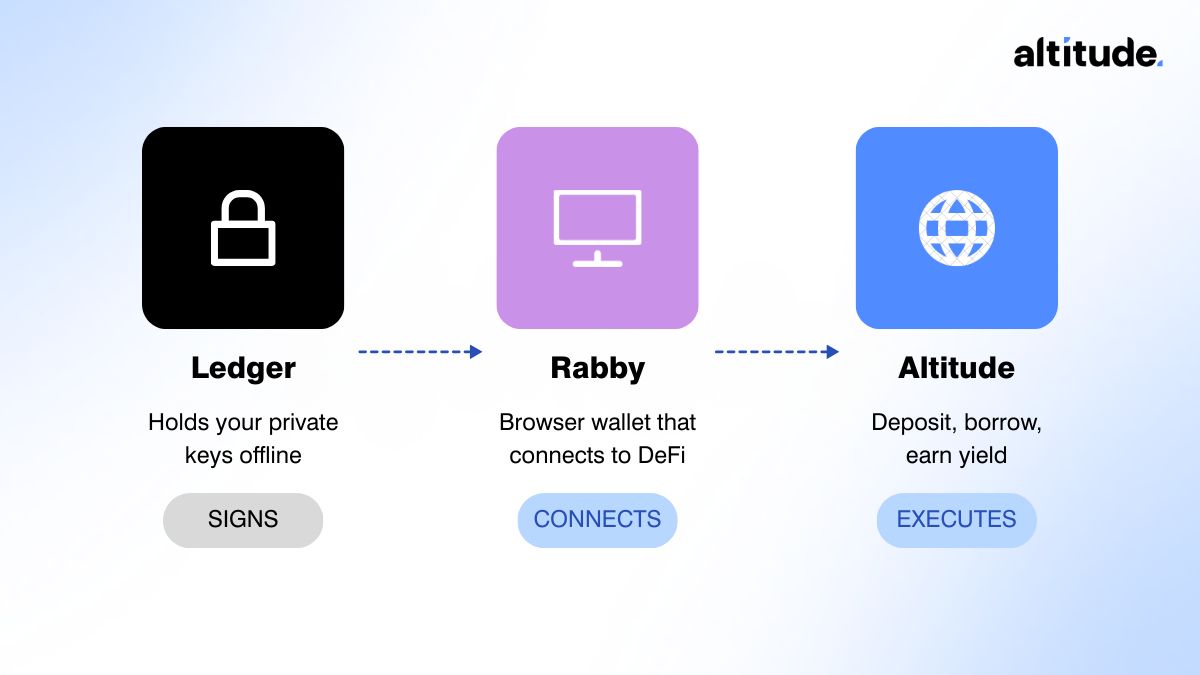
Ledger
A hardware wallet (Trezor and others work too) that holds your private keys offline. It signs transactions. Your keys never leave this device, even when you're interacting with DeFi.
SIGNS
Rabby
A browser wallet that connects to DeFi apps (MetaMask works too, but we mostly use Rabby). Think of it as the interface between your Ledger and the apps you use. It passes transactions to your Ledger for approval but never stores your keys.
CONNECTS
Altitude
The DeFi front-end where you deposit, borrow, and manage your self-repaying loan. It interacts with lending protocols like Aave and Morpho on your behalf.
EXECUTES
How it works in practice
When you make a deposit or take out a loan on Altitude, here's what actually happens:
1. You open Altitude in your browser and click "Deposit"
2. Rabby passes the transaction to your Ledger
3. You physically confirm on the Ledger device
4. Only then does the transaction go through
Every transaction requires you to press a button on a physical device you hold in your hand. No software, no browser extension, and no app can move your funds without that step.
Why not just use a browser wallet alone?
You can. MetaMask and Rabby both work as standalone wallets. But there's a meaningful security difference, especially for larger deposits.
Browser wallet only
Your private key lives in your browser. If your computer is compromised by malware or you sign a malicious transaction, your funds can be drained. There's no second layer of protection.
Ledger + Rabby
Your private key never leaves the Ledger hardware. Even if your browser is compromised, an attacker still needs physical access to your device and your manual confirmation. That's a fundamentally different security model.
For deposits under a few thousand dollars, a browser wallet alone is reasonable. For serious capital, the hardware layer is worth the extra step.
Getting started
If you already have a Ledger:
1. Install the Rabby browser extension
2. Connect your Ledger to Rabby (Rabby will detect it automatically)
3. Go to app.altitude.fi, connect your wallet, and you're ready to deposit
If you don't have a Ledger yet, you can order one from ledger.com. Setup takes about 15 minutes.
Need help? Check out our Guided Setup.